


The new ADK utilizes the Synergy library to manage Bluetooth protocols, so the previously customized GATT service library needs some adjustments to adapt to the current Synergy architecture. Next, I'll guide you through rebuilding a GATT service, with this article referencing the code from the Device Information Service.
1. Document structure adjustment
Place the GATT library files in the Synergy folder. The overall file structure is as follows:
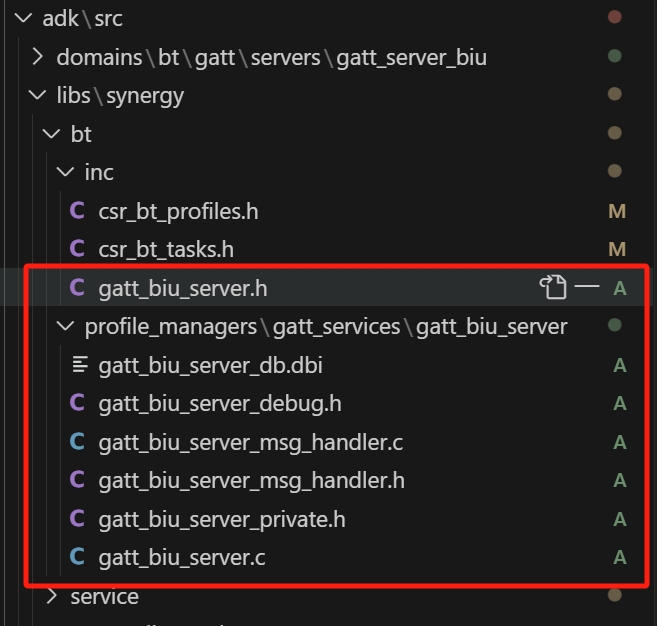
Here, it can be seen that the header files for the server are organized into a separate folder, which is different from the previous file structure.
2. Update engineering configuration
Since Synergy is an independent project, it is necessary to add the newly created files to the source_lists.xml file so that other projects can call the library's interfaces.
3. Changes in the Task mechanism
Under the Synergy architecture, the Task mechanism has undergone significant changes. During initialization, it is necessary to use Synergy's Task representation method to handle messages.
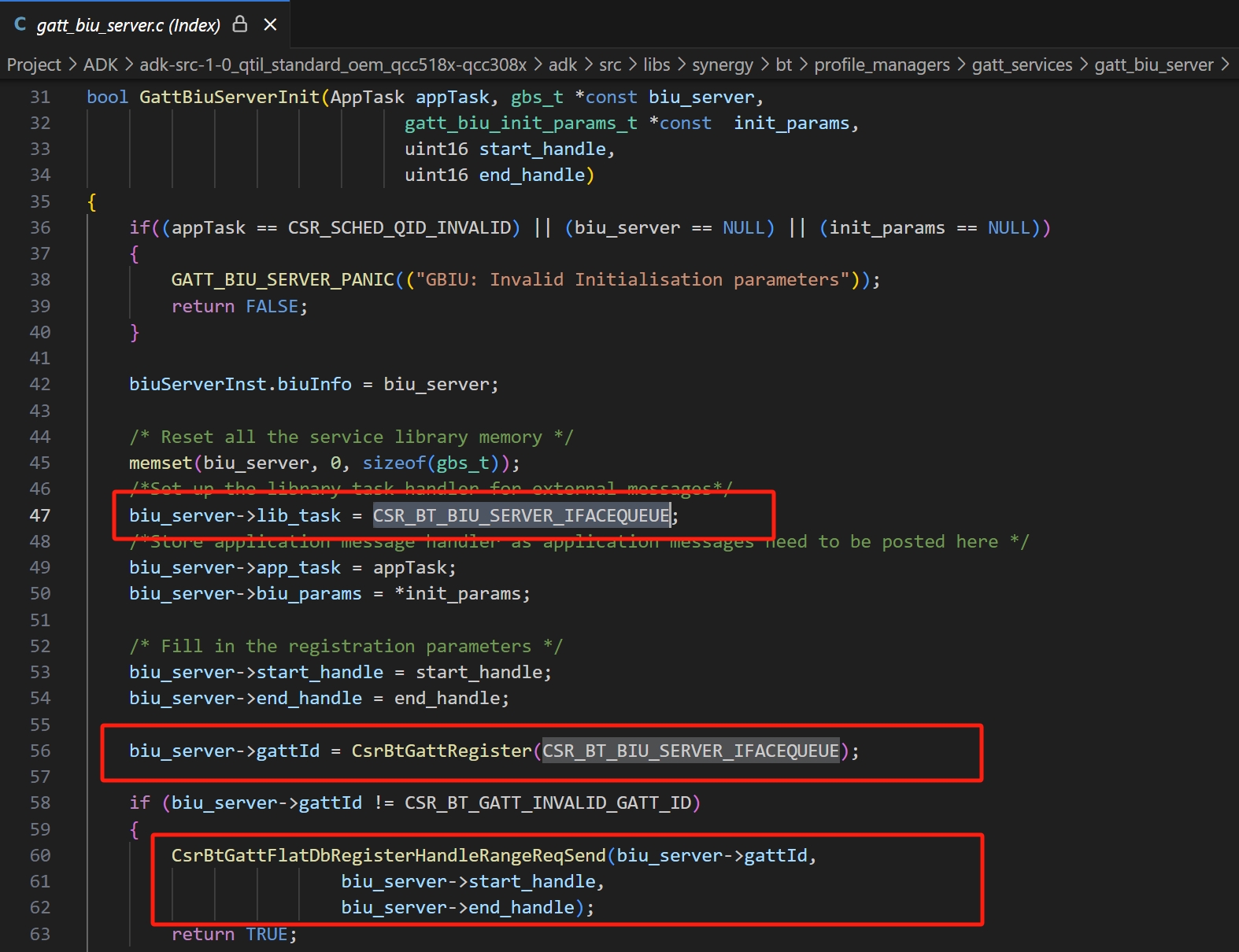
The following are declarations related to CSR_BT_BIU_SERVER_IFACEQUEUE:
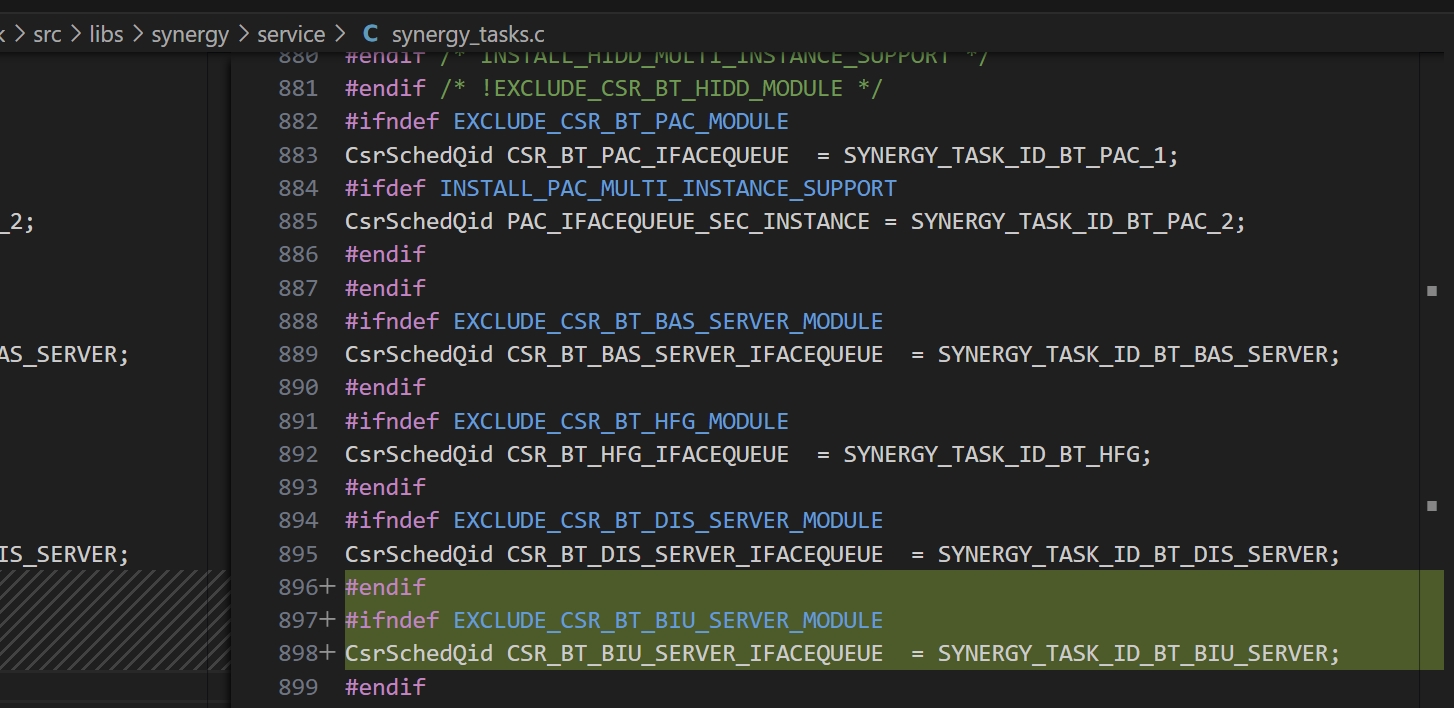
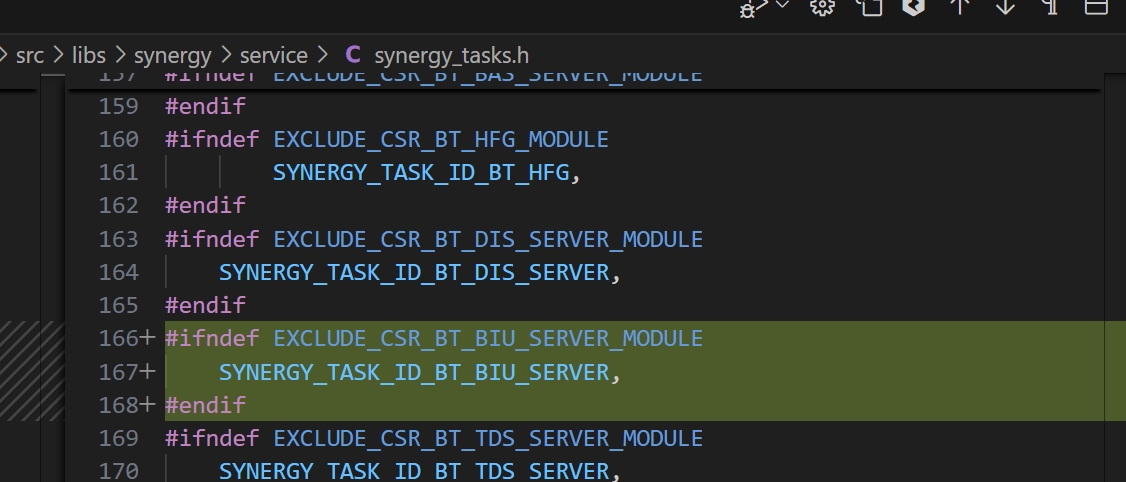
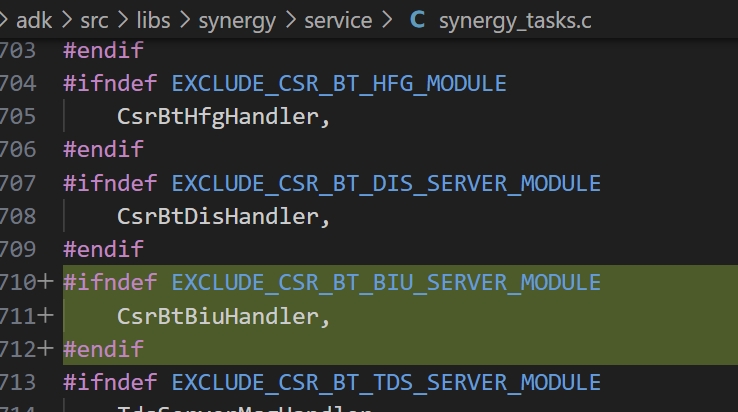
Additionally, special attention needs to be paid to the enumeration list of SYNERGY_TASK_ID_T. While the IDs can be defined arbitrarily, the location of their corresponding initialization and processing functions must remain consistent with their placement. For example, if an ID is placed under the DIS Server, it must also be initialized under the DIS Server in the SynergyTaskInit table.
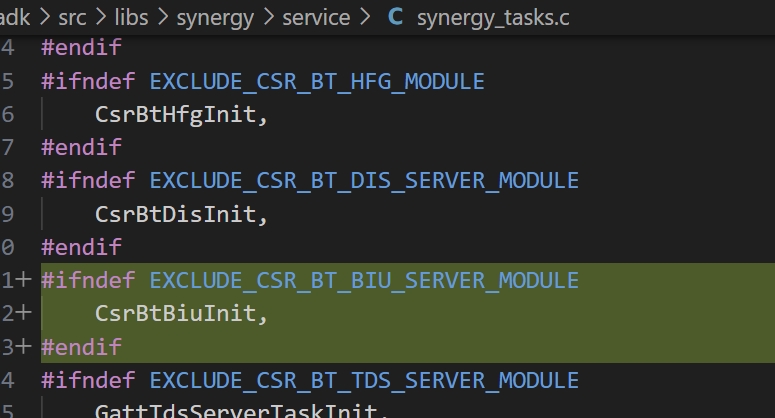
At the same time, consistency also needs to be maintained in the SynergyTaskHandler table.
4. Application layer invocation
Finally, at the application layer, add calls to the library and handle them to implement a custom GATT service. The relevant file locations are shown in the figure below:
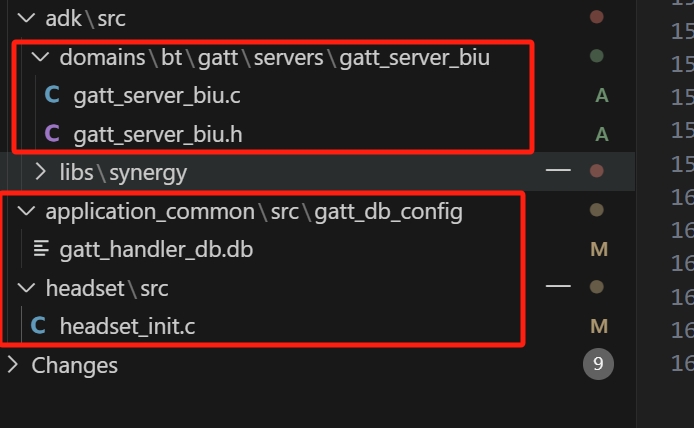
At this point, you can successfully add your own GATT service. If you need reference code or related materials, you can contact the FAE for support.
That's all for this blog post. If you have any questions, feel free to leave a comment below or contact us, and we'll do our best to address them (o´ω`o)و. Thank you for reading, and see you in the next post!
FAQ 1: How do I debug a custom GATT service?
A1: You can use the nRF Connect tool along with the ADK log output for debugging.
FAQ 2: What are the main advantages of the Synergy library?
A2: The Synergy library offers a more efficient Bluetooth protocol management mechanism, while also supporting modular development, making it easier to extend and maintain.
FAQ 3: How to handle Task messages under the Synergy architecture?
A3: The functions placed in the SynergyTaskHandler table are also message handling functions.
FAQ 4: Is it possible to use multiple custom GATT services simultaneously?
A4: Yes, you can add multiple service files in the source_lists.xml and call them at the application layer.
FAQ 5: Does the Synergy library support other Bluetooth protocols?
A6: Yes, the Synergy library supports multiple Bluetooth protocols, including BLE and BR/EDR.