


1. Overview
In today's era of rapid technological advancement,Open-source softwareIt has become a key force driving innovation and technological progress. Not only does it provide developers with a platform for sharing and collaboration, but it also serves as an essential cornerstone for inspiring creativity and realizing dreams. Recently, examples like ChatGPT generative AI and...YOLOObject detection applications, for instance, are outstanding achievements under this trend! For product development, engineers are not only creators but also users. How can users quickly familiarize themselves with these AI edge computing platforms (e.g.NXP i.MX8Series )To enhance the 'user experience'This is something worth discussing!
To help developers quickly understand NXP's AI edge computing platform, the author provides a set of resources tailored for...AI development tools designed for the NXP platform, can allow developersWith simple instructionsEnable rapid validation of AI modules, comparison of multiple model data, and provide popular example programs, such as object detection, semantic segmentation, and pose estimation. This design allows users to quickly understand the capabilities of NXP's Neural Processing Unit (NPU) in the shortest time possible.
Now, with the full advent of the Artificial Intelligence (AI) era, making peripheral devices smarter is no longer an unattainable dream! By using the NXP i.MX series platform to design edge computing products, we can actively participate in this exciting era and contribute to the future development of technology.
This article willImplemented using the NXP i.MX 8M Plus platformIf you need to set up a development environment for NXP embedded systems, you can read this content.[ATU Book - i.MX8 Series - OS] NXP i.MX Linux BSP Development Environment SetupCome quicklyDeploy NXPNXP i.MX8 series The development environmentThrough this blog post orA series of blog posts by an ATU editor, you can easily set up any environment related to i.MX8! Or if you want toFasterTo get into the implementation of the NXP platform, you can visit the official website.Download the officially released Linux image file (Image)。
.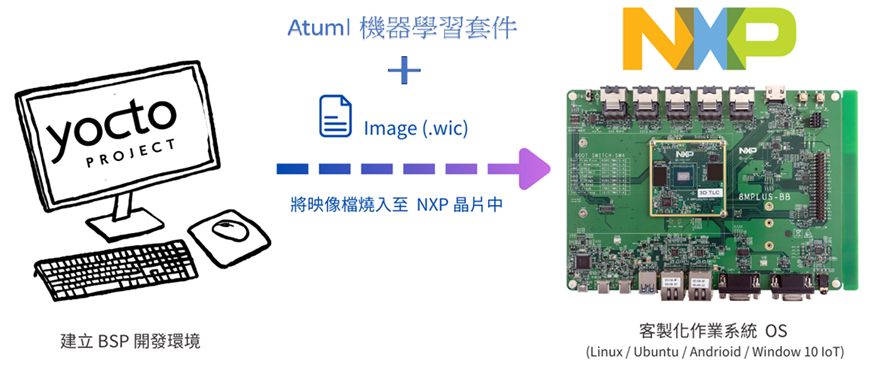
NXP i.MX8MP Environment Setup Diagram -Source: Yocto andNXPOfficial website
Embedded Linux for i.MX Application Processors | NXP Semiconductors
2. i.MX Runtime Tool (imxrt) Development Tool
Install i.MX Runtime Tool's AI development toolsYou just need to place imxrt in the /usr/bin directory of the development environment to use it!
How to use the imxrt package
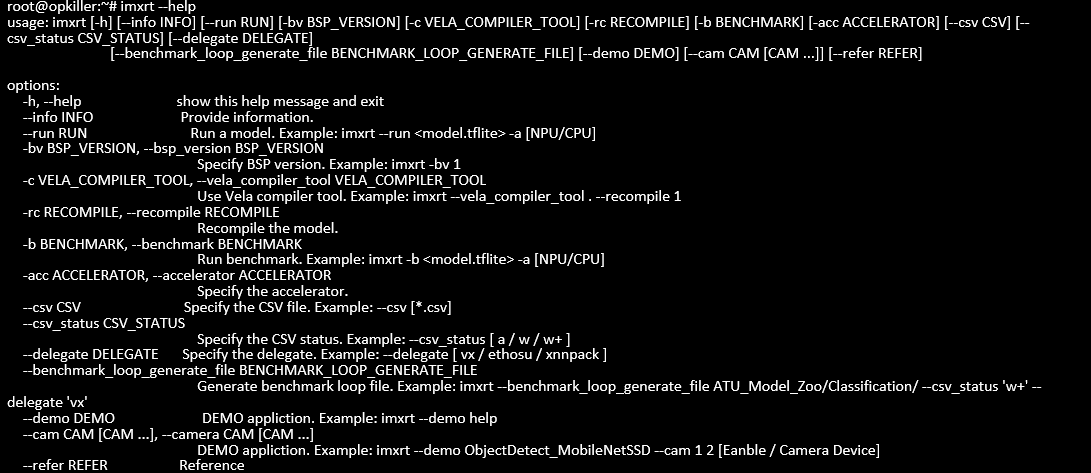
(1) Query Command:
$ imxrt --help
(2) Display system information:
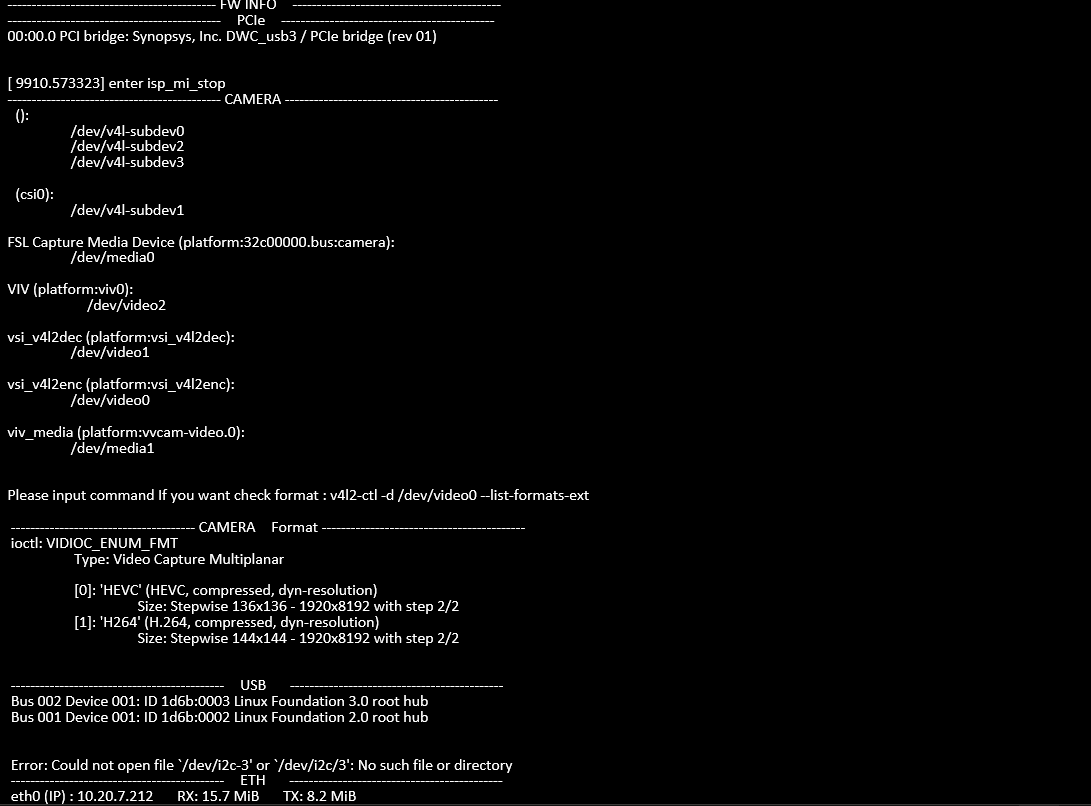
$ imxrt --info 1
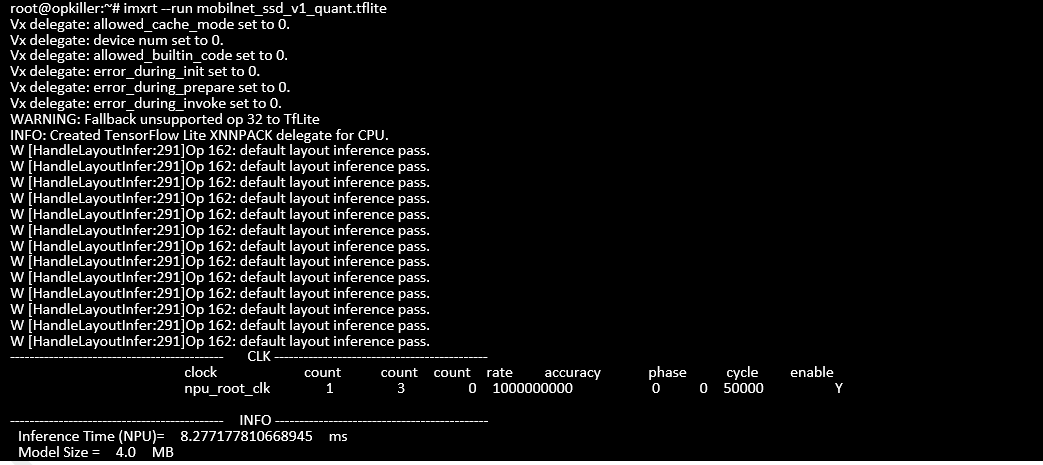
(3) Run Module
If you are running the AI module on the i.MX platform, please perform the conversion first.Convert to integer type (int), you may refer toColabExample of conversion method.
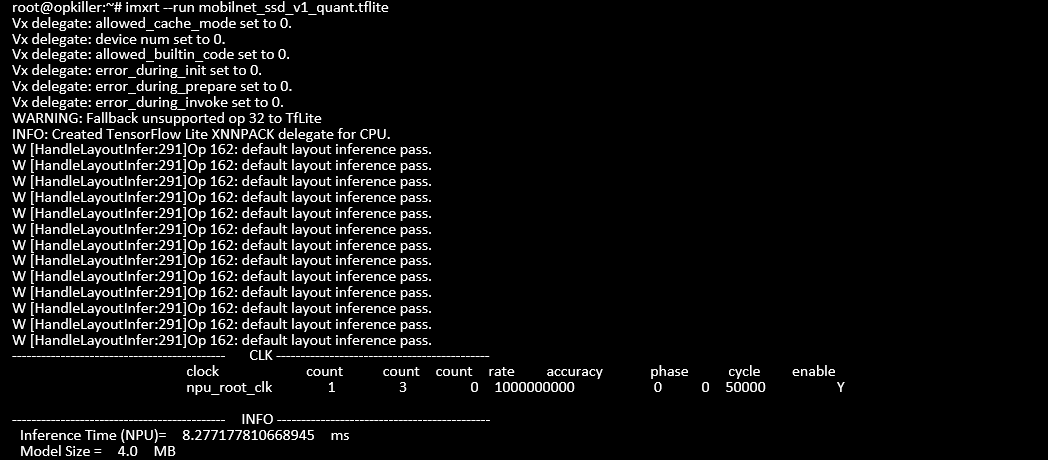
●Neural Processing Unit (NPU)
$ imxrt --run <tflite> --acc "npu"
●Graphics Processing Unit (GPU)
$ imxrt --run <tflite> --acc "gpu"
●Central Processing Unit (CPU)
$ imxrt --run <tflite> --acc "cpu"

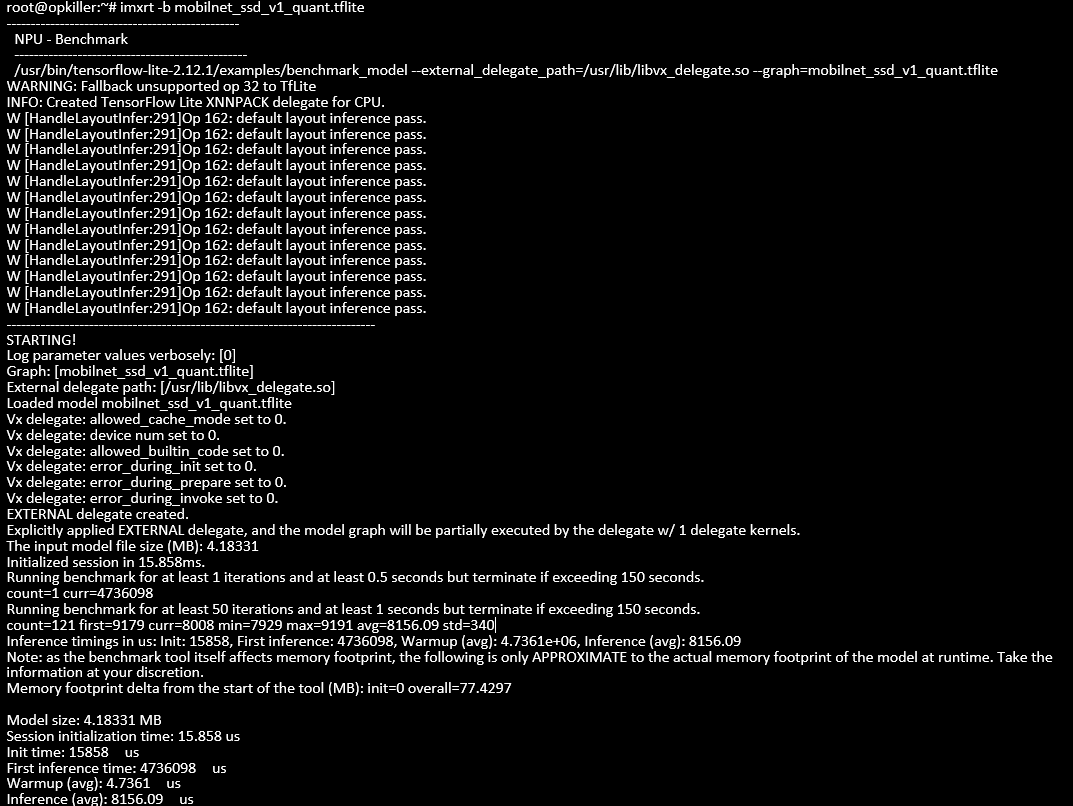
(4) Benchmark Performance Test
Test the module's runtime performance (defaulting to NPU as the primary), and it will output information such as memory usage, cold start time, and inference time.
$ imxrt -b <tflite>
(5) Benchmark batch performance testing
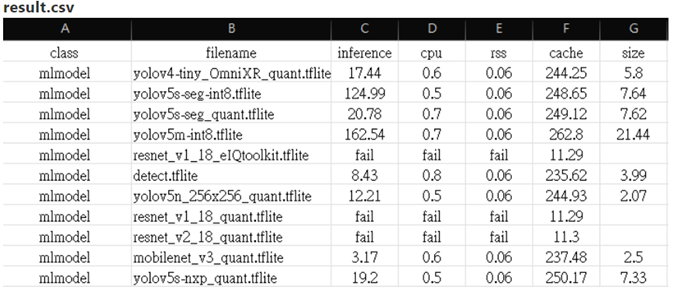
Please place the module inside the folder to perform batch performance testing. After waiting for a few minutes, a result.csv file will be generated.
$ imxrt –benchmark_loop_generate_file mlmodel/ –csv_status ‘w+’
(6) Example Program
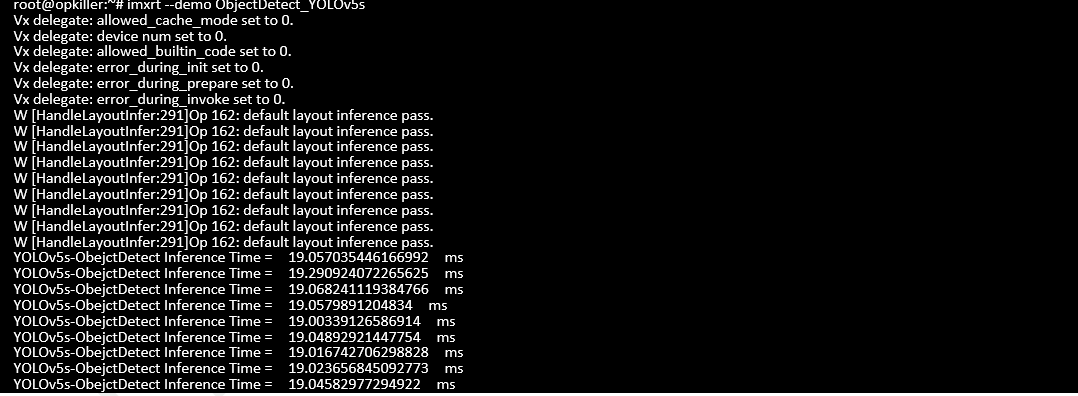
Examples of object detection, semantic segmentation, and pose recognition are provided. You can use the help command to check the usage.
$ imxrt --demo help

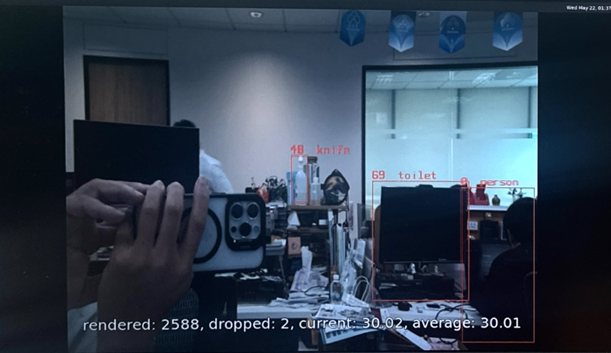
Example One:Object Detection_YOLOv5s
$ imxrt –demo ObjectDetect_YOLOv5s

Example 2: ObjectDetect_Gstreamer
$ imxrt –demo ObjectDetect_Gstreamer
(7) Reference Documents
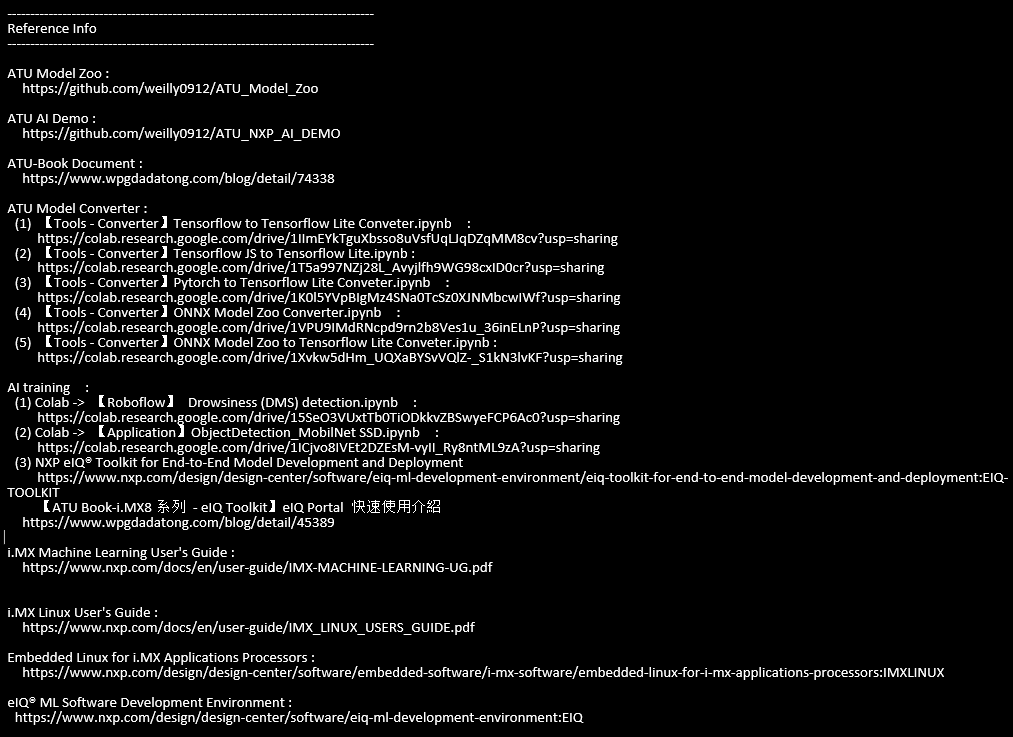
Please follow this instruction and check the link.
$ imxrt –Reference 1
3. Conclusion
In the highly competitive and diversified chip market, excellent user experience and extensive open-source software support have become important trends in technological development. This article will introduce a utility program. i.MX Runtime ToolIt allows beginners to easily 'one-click start AI' and quickly step into the new field of AI visual processing through simple instructions. Although the practical examples in this article are primarily based on the NXP i.MX8M Plus platform, the same approach is also applicable to the i.MX93 platform and even to NXP i.MX series platforms without an NPU!
As the AI technology in the YOLO series continues to advance, our hardware requirements are also increasing. NXP's i.MX8 series, with its exceptional processing power and versatile applications, has become a popular choice in the AI field. Whether you are a technical developer or an innovator passionate about AI applications, the imxrt development tools can provide seamless technical support, helping you easily overcome the barriers to AI implementation.
We encourage readers who are interested in technology transfer and AI applications to stay tuned. A series of blog posts by an ATU editorOr directly get in touch with our professional team to explore the limitless possibilities of AI together. Thank you for reading, and we look forward to meeting you on the journey of AI!
4. Reference Documents
[1]i.MX 8 Series Applications Processors Multi-core Arm® Cortex® Processors
[2]NXP Document - i.MX Yocto Project User Guide.pdf
[3]Welcome to the Yocto Project Documentation
[4]NXP Documentation - i.MX Linux Release Notes
[5]NXP Documentation - i.MX Machine Learning User Guide
If you have any questions related to machine learning techniques, feel free to leave a comment below the blog post!
More technical articles on Machine Learning will be shared soon! Stay tuned for 【ATU Book-i.MX Series - ML】!

Related Article: Driving the New Era of AI Edge Computing! The high-performance i.MX95 application platform leads the future