


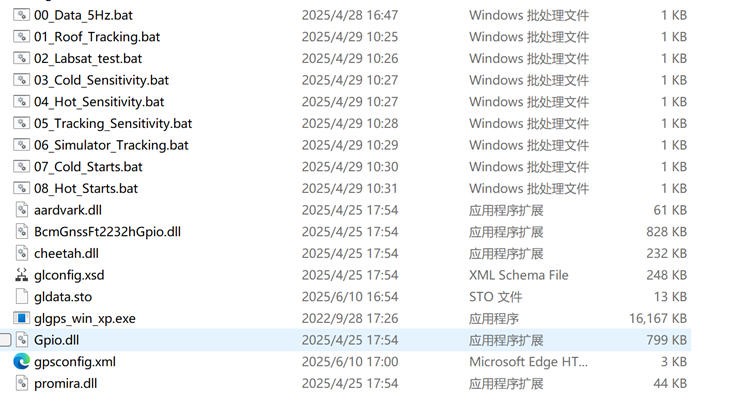
1. The prerequisite for testing the SYN4778 EVK TTFF parameters is that the original manufacturer needs to provide a set of test firmware, which includes the testing functionalities for Simulator_Tracking and Simulator_Cold_Starts.
2. Required instrument: GNSS simulator
For example:
GSS6700 Multi-GNSS Simulator
Or
MP6200 GPS Simulator
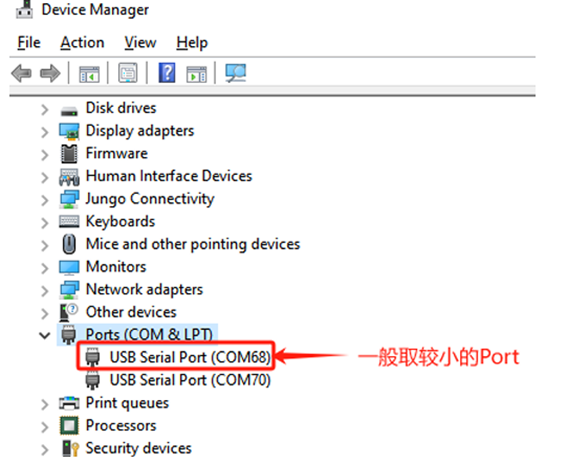
3. Connect the EVK to the PC and the MP6200/GSS6700 device, then obtain the EVK Port (select the smaller Port) in the PC Device Manager.
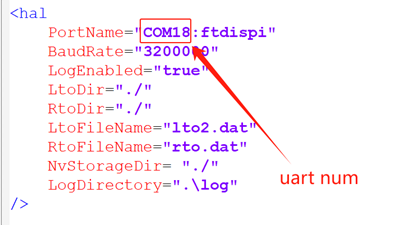
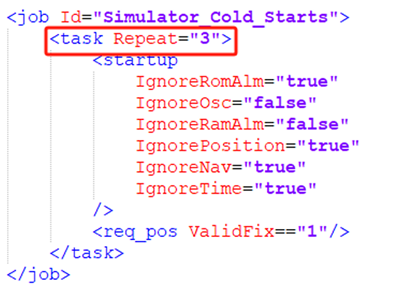
4.Modify the relevant job (Cold/Warm/Hot) attributes in the configuration file [gpsconfig_xxx.xml] according to the requirements, as shown in the figure below.
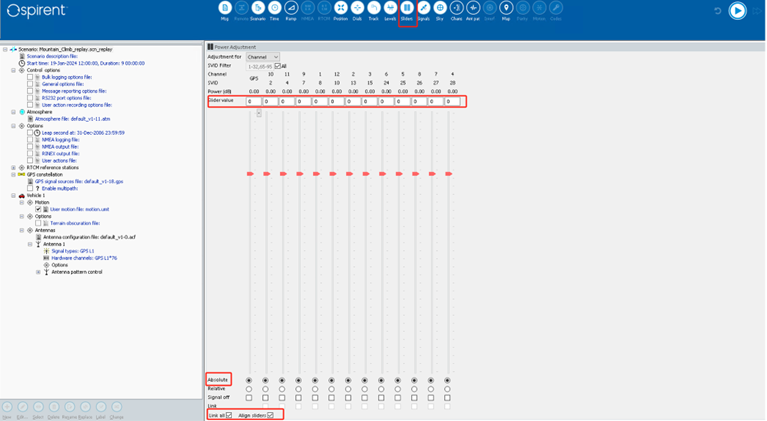
5. After completing the environment setup, start the simulator (GSS6700) device and load the corresponding scenario. Open the Sliders panel and check the options Link all/Align sliders/Absolute. Set the initial Slider value to 0 (the purpose is to fix the output at -130dBm).
6. Execute the 06_Simulator_Tracking.bat script from the test package, run it for 3 minutes, and confirm whether the positioning is functioning correctly.
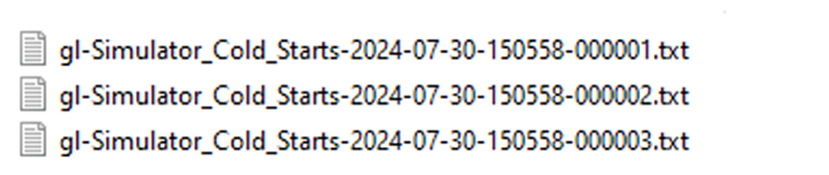
7. Run the 07_Cold_Starts.bat script in the test package. The program will generate one log file for each location attempt based on the Repeat count set in step 3. For example, if Repeat=3 is set, the test will produce the following files upon completion:
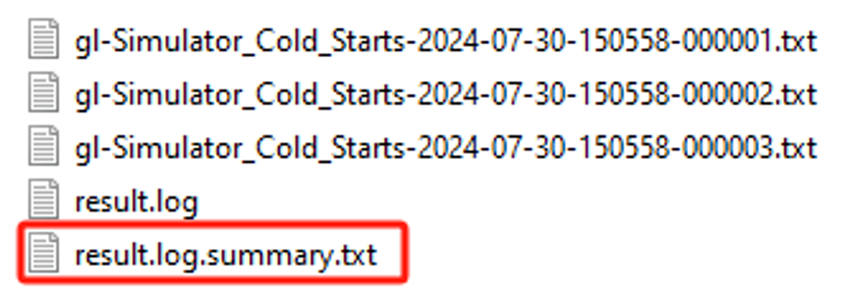
8. Merge logs: Use the cmd command [type *.txt > result.log] to merge the logs obtained in step 4. Then, drag the merged result.log file to the SummaryTXT.bat script, which will generate files as shown in the image below:
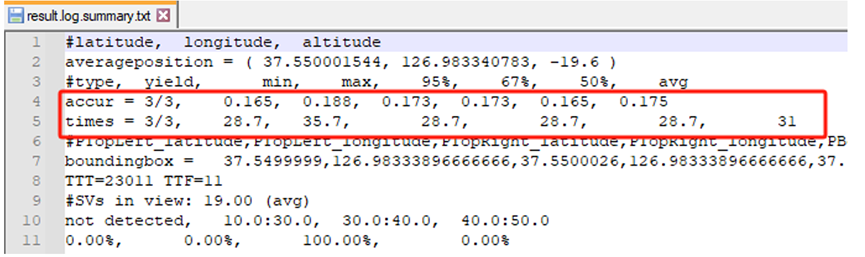
9.Take the average values of 'accur' and 'times' from the result.log.summary.txt file as the result values.
10. Adjust the Slider value of GSS700 according to the requirements, and repeat the steps above to test the following scenarios respectively:
◆ Slider value setting range reference:
Cold: -130dBm/-140dBm/-145dBm
Warm: -130dBm/-140dBm/-145dBm
Hot: -130dBm/-140dBm/-150dBm
FAQ:
FAQ1: What is TTFF, and what is its full English name?
The Time To First Fix (TTFF) refers to the time it takes for a receiver to acquire its first valid navigation data point after being powered on, and it is used to measure the speed of the signal acquisition process. TTFF is further categorized into cold start, warm start, and hot start.
FAQ2: Where is the mentioned SummaryTXT.bat located?
SummaryTXT.bat is located in the C:\Program Files (x86)\BROADCOM\NMEA Log Analyzer directory and requires the installation of Broadcom.NmeaAnalyzer.NoSSPLOT.jre8.1.47.7948 software.
FAQ3: What are the functions of the SYN4778 chip?
The Synaptics SYN4778 is a third-generation dual-frequency (L1/L5) GNSS receiver capable of L5 acquisition and simultaneous tracking of multipath signals from the same satellite.
It is manufactured using 7nm technology, which results in ultra-low power consumption and a small PCB footprint.
The SYN4778 simultaneously supports GPS, GLONASS (GLO), NAVIC, BeiDou (BDS), Galileo (GAL), SBAS, and QZSS in the L1/B1/E1 and L5/E5/B2a frequency bands.
FAQ4: What advantages does SYN4778 have compared to other GNSS chips or domestic GNSS chips?
Small chip size, fewer peripheral components, and low power consumption
FAQ5: What are the Synaptics GNSS chips? What are their respective features?
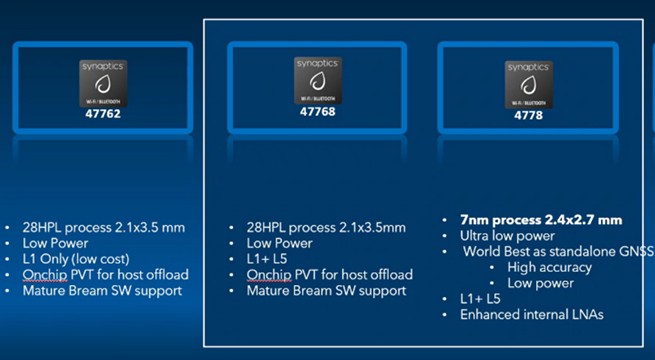
SYN47762
- 28HPL process 2.1x3.5 mmLow Power
L1 Only (low cost) - Onchip PVT for host offload
- Mature Bream SW support
SYN47768
- 28HPL process 2.1x3.5mm
Low Power
L1+L5
Onchip PVT for host offload - Mature Bream SW support
SYN4778
- 7nm process 2.4x2.7 mm
- Ultra low power
- World Best as standalone GNSS.
- High accuracy
- Low power
- L1+ L5
- Enhanced internal LNAs