


IAR 9.32.2 無法使用 printf 函數輸出的解決方法
問題細節描述
使用 IAR 9.2 打開工程並調試程序時,可以正常使用 printf 函數進行串口列印,但用新發布的版本 IAR 9.32.2打開工程後,出現了無法使用 printf 函數進行串口列印的問題(除了無法進行串口列印外,程序正常運行且其它功能正常)。
問題分析
在 IAR 9.32.2 的 IAR 對 printf 重定向有了新的要求,導致 IAR 9.2及之前的 版本程序無法運行含有 printf 功能的例程。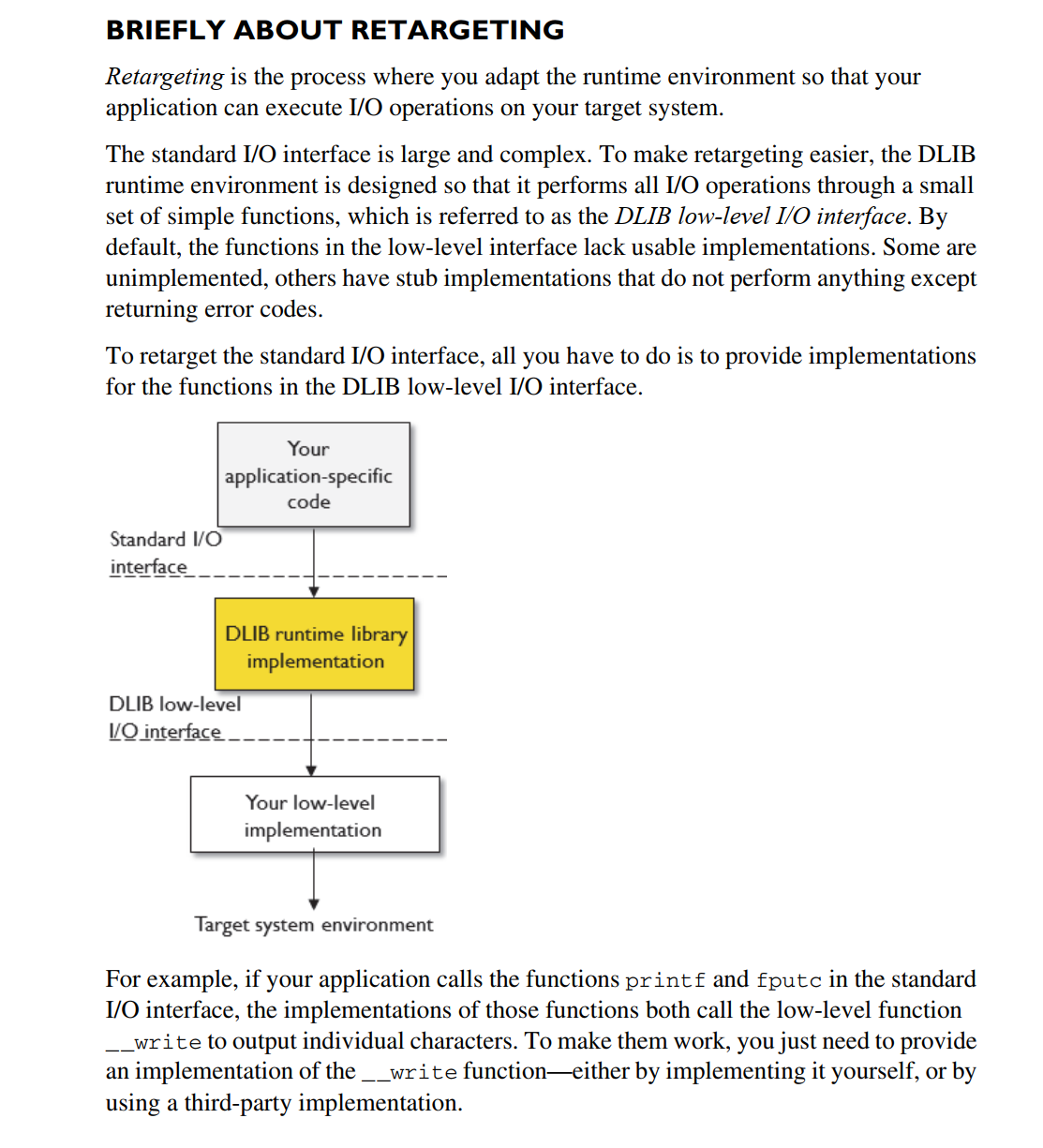
問題解決
IAR 9.32.2 的 printf 重定向
重定向的詳細內容請查閱文檔,這裡給出參考操作。
在源碼目錄下,新建 write.c 文件用於存放我們重定向的代碼;
打開需要重定向的工程,在工程中添加我們剛剛新建的 write.c ;
編輯“write.c”文件,添加重定向代碼。代碼內容如下,需要根據 UART 設置修改相關函數。<源函數可參考附件>
特別要注意你要輸出的串口要與代碼修改相對應.我的代碼是USART3.
#include <LowLevelIOInterface.h>
#include <stdint.h>
#include <stdio.h>
#include "usart.h"
#pragma module_name = "?__write"
extern UART_HandleTypeDef huart3;
//uint8_t USART_Transmit(UART_HandleTypeDef* usart, uint8_t *pdata, uint16_t Size);
/*
* If the __write implementation uses internal buffering, uncomment
* the following line to ensure that we are called with "buffer" as 0
* (i.e. flush) when the application terminates.
*/
size_t __write(int handle, const unsigned char * buffer, size_t size)
{
if (buffer == 0)
{
/*
* This means that we should flush internal buffers. Since we
* don't we just return. (Remember, "handle" == -1 means that all
* handles should be flushed.)
*/
return 0;
}
/* This template only writes to "standard out" and "standard err",
* for all other file handles it returns failure. */
if (handle != _LLIO_STDOUT && handle != _LLIO_STDERR)
{
return _LLIO_ERROR;
}
/* Sending in normal mode */
if(HAL_UART_Transmit(&huart3, (uint8_t *)buffer, size, 0xFFFF) == HAL_OK)
{
return size;
}
else
{
return _LLIO_ERROR;
}
}
評論
Logan
1 個月前